Editorial method: Research-based
Best No-Code Mobile App Builders: Choose by Publishing, Control and Cost
The best no-code mobile app builder depends on what happens after the first prototype. Can customers install it from an app store? Can you change its data safely? Who maintains it next year? A polished preview does not answer those questions.
For a non-technical business owner, shortlist Adalo for a visual, database-backed app, Appy Pie for a feature-led business app, and Thunkable for a guided mobile-building workflow. Choose FlutterFlow when source-code access and a technical handover matter more than avoiding every engineering decision. These are use-case recommendations, not a universal ranking.
Disclosure: We may earn a commission if you sign up through links on this page. Appy Pie and Audiorista are affiliates; Adalo, FlutterFlow and Thunkable are included independently. Compensation does not determine recommendations.
Research method: This is a comparison of public first-party product and pricing documentation, checked on September 30, 2026—not a hands-on performance test. We have not measured startup speed, accessibility, offline reliability or app-store approval rates. Product capabilities are vendor-documented; suitability judgments are our editorial interpretation.
Do you actually need a mobile app?
An app makes sense when customers have a recurring job: checking bookings, accessing a member service, submitting updates or using a tool repeatedly. If the job is finding your opening hours or requesting a quote once, start with a small-business website builder. Making customers install software adds friction.
Keep three outputs separate:
- A mobile-friendly website: opens in a browser; often enough for an occasional customer interaction.
- An installable web app: may feel app-like, but browser installation is not the same as an Apple or Google store listing.
- A store-distributed mobile app: has a release process, developer accounts and ongoing platform-policy obligations.
This guide owns the last decision: visually building and maintaining a business mobile app. It is not a list of AI coding agents or a website-builder comparison. AI-assisted generation now appears in visual builders too; “uses AI” does not tell you what you can publish or maintain.
The shortlist at a glance
Prices below are USD advertised rates, not an all-in project budget. Annual equivalents require an annual commitment; taxes, backend services and store accounts can be additional. Confirm checkout and the exact feature tier before paying.
| Builder | Best shortlist fit | Verified plan reference | Main buying caveat |
|---|---|---|---|
| Adalo | A non-technical owner designing connected screens and data | Starter: $36/month billed annually; one published app and one editor | Custom integrations and app analytics sit above Starter |
| Appy Pie | A business app assembled around predefined features | Basic: $16/app/month yearly for Android; Platinum: $60/app/month yearly adds iOS | Compare the plan for both stores, not only the Android headline |
| FlutterFlow | A visual app with a future developer handover | Basic: $39/month; source/APK download and store deployment | Backend setup and technical maintenance still need an owner |
| Thunkable | A mobile prototype that can progress to store publishing | Builder: $37/month yearly or $59 monthly; one live app | Free projects are public; private-project and AI-token limits matter |
Adalo: start here for a visual app with connected data
Adalo’s pricing documentation lists a built-in relational database and web, iOS and Android publishing. Starter includes one published app, one editor and automated store publishing. Professional is $52/month billed annually, with custom integrations, custom actions, analytics and push notifications. Its Ada prompt-building/editing assistant is marked beta.
Editorial fit: Shortlist it when your app is primarily records, screens and user interactions, and you want to configure them visually rather than coordinate separate infrastructure from day one.
Do not choose it solely on the entry price if your essential workflow needs a higher-tier integration. Write down your required connection before choosing a plan. In the trial, verify permissions using two accounts; a screen that hides a record is not sufficient proof that the data is protected.
Appy Pie: feature-led business apps, with a publishing-tier check
Appy Pie describes a prompt-to-app starting point followed by visual editing. Its business app documentation gives yearly equivalents of $16 for Basic, $36 for Gold and $60 for Platinum per app per month; monthly rates are $32, $72 and $120. Basic/Gold publish to Google Play; Platinum adds iOS. Its no-code builder page describes a seven-day build/edit/preview trial for personal, non-commercial use.
Editorial fit: Consider it if a feature-led customer app suits the business and you prefer configuring an offered workflow to designing custom logic. Check the exact feature and publishing tier in your own account.
Avoid it if source-code handover is mandatory: the vendor’s comparison says code export is unavailable. Do not treat a preview or the vendor’s “fastest” positioning as proof of production readiness. Budget for the iOS plan if both stores are required.
Explore Appy Pie’s current app-builder options.
FlutterFlow: control and handover rather than zero technical decisions
FlutterFlow’s plan table lists code/APK download, local-device testing and one-click store deployment on Basic at $39/month. Growth adds GitHub integration, collaboration and branches; its first seat is $80/month. The platform is a visual development environment, not a promise that every business requirement needs no code.
Editorial fit: Prefer this route when a developer may inherit the project or your team wants to retain downloadable source code. Our inference is that this makes exit planning more practical, not effortless: an exported project still needs someone who can build, secure and update it.
Avoid it if nobody can own backend configuration, authentication or release troubleshooting. A builder subscription is not a substitute for that responsibility. Prototype the hardest integration first, rather than spending the trial styling a home screen.
Thunkable: check project privacy and publishing capacity early
Thunkable’s pricing page lists a Free tier with three public projects and five screens per project. Builder includes ten private projects, unlimited screens, 50,000 AI tokens and one live published app, at $37/month billed yearly or $59 monthly. The vendor documents phone testing and publishing through iOS and Android stores.
Editorial fit: A reasonable shortlist for learning a mobile-building workflow while progressing toward a single published app. The free plan is for exploration, not confidential business logic or customer data.
Avoid the entry paid tier when several live apps are required. Ask what happens to a published app after a downgrade or cancellation, and check collaboration permissions before giving a contractor access. More AI tokens do not establish correctness.
Compare the whole operating cost
A different use case: a premium content app
If the app is mainly a paid library of podcasts, courses or media, a publishing platform deserves a separate look. Audiorista’s official overview describes branded iOS, Android and web delivery of audio, video and text, with paywalls and subscriptions. This is a narrower workflow than the general-purpose builders above, not a new overall winner.
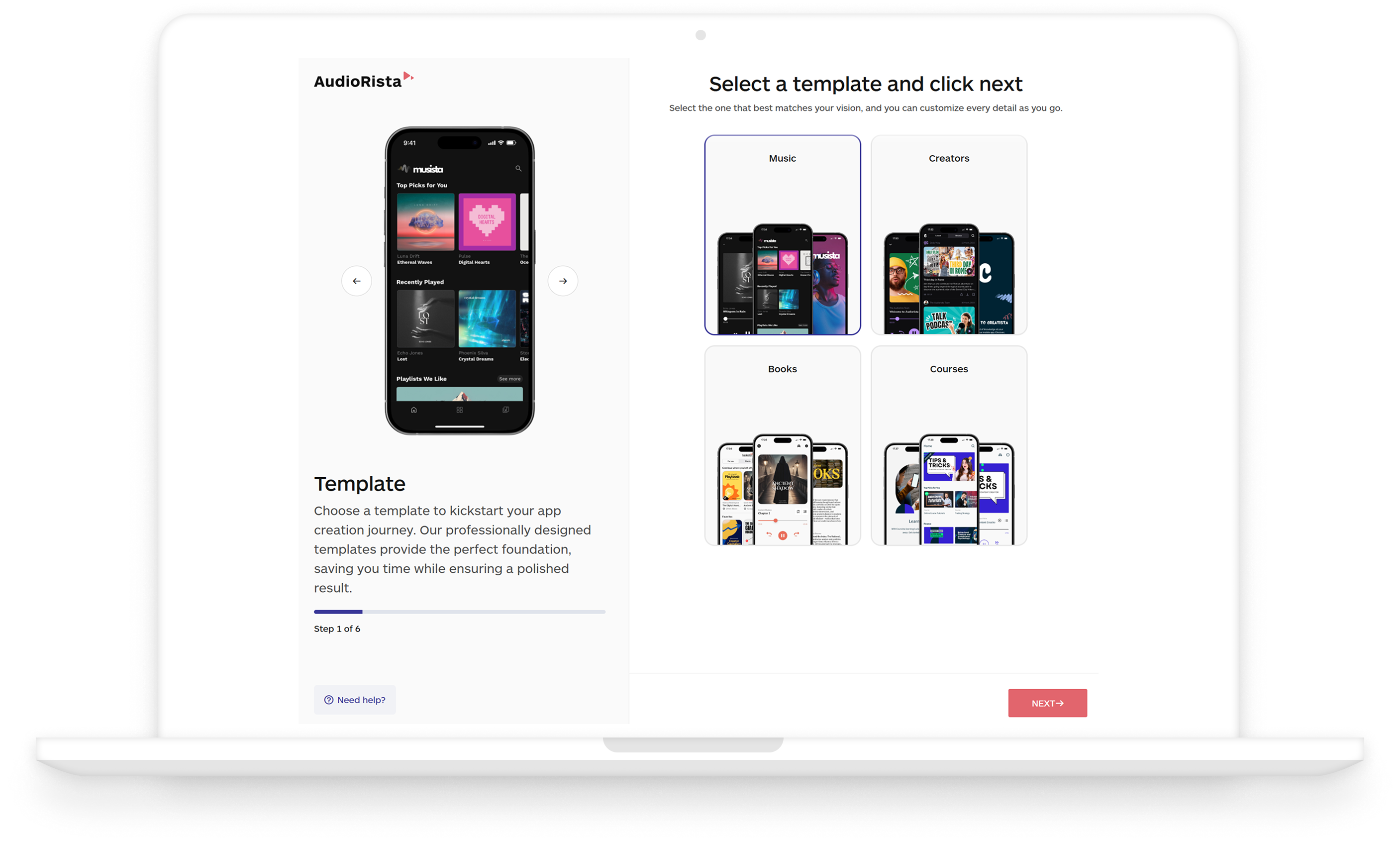
Explore Audiorista for a branded content app, then verify store-account ownership, export and current charges. An RSS feed or existing membership platform may serve your audience without another app. We have not tested playback, accessibility or subscriber migration.
Use this budget worksheet before committing:
| Cost line | Question to answer |
|---|---|
| Builder | Is pricing per app, per editor or per workspace? Which billing commitment applies? |
| Store accounts | Who owns the Apple/Google account and pays renewals? |
| Data and integration services | Are authentication, database, storage, email and API usage included? |
| Maintenance | Who responds when a store policy, device OS or integration changes? |
| Exit | Can you export customer data, configuration and usable source code? What must be rebuilt? |
Do not budget just the displayed monthly equivalent. For example, an annual subscription commits cash before you know whether customers will use the app. Compare it with the costs and simpler options in our small-business software cost guide.
A practical trial acceptance test
Use synthetic data, not your live customer list. Build one complete journey: a customer creates an account, performs the core task, receives confirmation and returns later to see the correct state.
- Test the journey on your actual iPhone and Android devices, including a slow connection and interrupted session.
- Create a second customer and verify that neither can access the other’s records. Test the underlying request, not just screen visibility.
- Change a record in the source system. Confirm the app’s update timing and error behavior.
- Delete or export a test customer’s data. Identify who performs that operation after launch.
- Ask the vendor which plan publishes this exact app and what remains available after cancellation.
- Put the app in front of intended users. If a browser link solves the task better, do not publish an app for branding alone.
Treat this as an acceptance checklist, not evidence we have run those tests. For the wider business workflow, see how to choose one tool per problem and our client-management comparison. An app should connect to the process you already need, not create another disconnected inbox.
Which route should you choose?
- A simple public presence: use a website first.
- A connected visual business app: compare Adalo and Thunkable with the same sample journey.
- A feature-led customer app: include Appy Pie, but price the required store and feature tier.
- A technical handover or custom roadmap: include FlutterFlow and name the maintenance owner before launch.
No-code reduces some implementation work. It does not remove product design, customer support, privacy decisions or maintenance. The best purchase is the smallest route that reliably completes your customer’s recurring task.