ChatGPT Work vs Zapier vs Make: Which Is Better for Business Automation?
Disclosure: We may earn a commission if you sign up through links on this page.
ChatGPT Work can now start tasks when supported events happen in Gmail, Slack, or GitHub. That makes it look more like workflow automation—but it does not make Zapier or Make obsolete.
The three products solve different parts of the problem. ChatGPT Work is strongest when an incoming event needs analysis, judgment, or a useful written deliverable. Zapier is designed to move work across a broad range of business apps. Make gives teams a visual way to build more involved scenarios with routes, filters, and data handling.
The practical answer for many teams is not one universal winner. It is choosing where the workflow should run and whether the hard part is reasoning about information or orchestrating systems.
The short answer
- Choose ChatGPT Work when a supported Gmail, Slack, or GitHub event should trigger research, classification, summarization, or another reasoning-heavy task inside ChatGPT.
- Choose Zapier when a nontechnical team needs to connect several business apps with straightforward trigger-and-action workflows.
- Choose Make when the workflow needs visual branching, filters, transformations, aggregation, or more deliberate control over how data moves.
- Combine them when ChatGPT should interpret information but Zapier or Make must coordinate the wider app stack.
At launch, OpenAI documents event-triggered task support for Gmail messages, Slack channel messages, and supported GitHub pull-request activity. Availability and permissions depend on the account, workspace, connected app, and admin settings. This is a focused starting point, not a universal integration layer.
ChatGPT Work vs Zapier vs Make at a glance
| Decision factor | ChatGPT Work | Zapier | Make |
|---|---|---|---|
| Best for | AI-native analysis and deliverables triggered by supported events | Accessible business automation across many apps | Visual orchestration with more involved logic and data flows |
| Trigger model | Scheduled, monitoring, and supported event-triggered tasks | App trigger followed by one or more actions | Scenario trigger followed by connected modules |
| Gmail event support | Yes, for supported new-message events and filters | Available through supported Gmail triggers | Available through Gmail modules and scenario triggers |
| Slack event support | Yes, for new messages in channels joined by @ChatGPT | Available through supported Slack triggers and actions | Available through Slack modules |
| GitHub event support | Supported pull-request activity in authorized github.com repositories | Available through supported GitHub triggers and actions | Available through GitHub modules |
| Multi-app workflows | Limited to supported apps and task capabilities | Core strength | Core strength |
| Integration breadth | Focused connected-app set | Broad app directory plus custom options | Broad app/module ecosystem plus HTTP and developer tools |
| Visual workflow builder | No comparable cross-app canvas | Visual Zap editor | Visual scenario builder with explicit routes |
| AI reasoning | Central to the task | Can be added as workflow steps | Can be added through AI modules and services |
| Branching and transformation | Not its primary role | Filters, paths, formatting, and other workflow tools | Routers, filters, aggregators, mapping, and transformations |
| Scheduled automation | Yes, when available for the account | Yes | Yes |
| Event-driven automation | Yes, for documented supported events | Yes, based on app triggers | Yes, based on scenario triggers or webhooks |
| Admin requirements | Managed workspaces may require Work, app, and event-trigger permissions | Team governance depends on plan and account setup | Team and organization controls depend on plan and setup |
| Easiest starting point | Describe the event and desired result in Work | Templates, Copilot, or a trigger-and-action Zap | Visual scenario assembled from modules |
| Typical skill level | Low for a supported, well-scoped task | Low to medium | Medium for complex scenarios |
This table compares product roles, not every possible connector or paid-plan feature. Check each vendor’s current app directory and plan documentation before buying around one specific integration.
What ChatGPT Work can automate
ChatGPT Work is useful when the output cannot be reduced to “copy this field into that app.” Its advantage is performing an AI task after a supported event arrives.
Examples include:
- classify an incoming Gmail message and produce a concise handoff brief;
- analyze messages in a designated Slack channel and summarize decisions or risks;
- review supported GitHub pull-request activity and prepare a plain-language update;
- produce a recurring shared report on a schedule;
- combine an event condition with a prompt that requires analysis rather than fixed rules.
Event-triggered tasks differ from ordinary scheduled tasks. A scheduled task runs at a chosen time or interval. An event-triggered task starts when a supported connected-app event occurs and its configured condition is met. That can reduce polling and make the response more timely.
There are important boundaries. Connected-app permissions still apply, actions requiring approval can pause a task, and workspace administrators can control app and task access. Slack monitoring requires the ChatGPT app to be added to each monitored channel. GitHub support is currently described around supported pull-request activity—not every possible repository event.
For a deeper technical explanation of triggers, permissions, and task behavior, read AI Made Tools’ ChatGPT Work technical guide.
Where Zapier remains stronger
Zapier’s basic model is easy to explain: an event in one app triggers one or more actions. That structure is a better fit when the business process spans systems and the desired actions are already known.
Imagine a prospect submitting a form. The workflow may need to create a CRM record, add the prospect to an email list, notify sales in Slack, and create a follow-up task. The hard part is coordinating apps reliably, not asking an AI to interpret an ambiguous situation.
Zapier is particularly attractive when:
- business users want a familiar trigger-and-action setup;
- a required SaaS product already has supported triggers and actions;
- the workflow crosses several apps;
- templates or an AI-assisted builder can shorten setup;
- the team wants logs and management around repeated automations.
Zapier also supports multi-step workflows, filters, paths, formatting, searches, and AI steps. So “simple” does not mean limited to one action. It means Zapier generally presents business automation in a way that is approachable without requiring teams to think like integration developers.
Where Make remains stronger
Make is often the more natural choice when a process needs to be seen as a data flow. Its scenario builder lets teams connect modules, split execution through routers, apply filters, map fields, combine bundles, and add error-handling routes.
That makes Make useful for workflows such as:
- send different leads down different routes based on region or deal size;
- transform data from one app before another app can use it;
- aggregate several records into one digest;
- coordinate multiple branches with different conditions;
- inspect each module’s input and output while debugging.
The tradeoff is setup effort. A complex visual scenario can be clearer than hidden code, but it still requires someone to understand the data and maintain the branches. For a team that only needs “new form submission → create contact,” Make may be more machinery than necessary. For conditional orchestration, that machinery is the point.
Which is easiest for a nontechnical team?
For a narrowly supported reasoning task, ChatGPT Work may be the easiest: describe what should trigger the task, define the condition, and explain the output you want. That ease disappears if the workflow needs unsupported apps or many downstream actions.
Zapier is usually the most approachable choice for conventional cross-app automation. Templates and the trigger/action structure make the workflow easy to explain to the person who owns the business process.
If the larger problem is assigning people, approvals and recurring process state rather than moving data between apps, start with our workflow management software guide instead.
Make has the steepest learning curve of the three when scenarios become complex. It rewards that effort with explicit visual control over routing and data handling.
The best owner is not always IT. Give ownership to the person who understands the process, but require review for workflows that change customer data, send external messages, affect billing, or process sensitive information.
Gmail: choose based on what happens after the email
Use ChatGPT Work when a matching Gmail message should be read, classified, summarized, or turned into a reasoning-heavy deliverable. A practical example is turning a long vendor email into a risk summary and a list of questions for the owner.
Use Zapier when the email is mainly a trigger for actions elsewhere: save an attachment, create a ticket, update a CRM, or notify a team.
Use Make when the email and attachments need conditional processing, multiple routes, transformations, or aggregation before reaching other systems.
Do not connect a mailbox merely because automation is possible. Review what the integration can access, keep conditions narrow, and avoid placing passwords, financial account details, health information, or unnecessary customer data in task instructions.
Slack: analysis versus workflow routing
ChatGPT Work fits a designated channel where new messages should trigger analysis—for example, summarizing incident updates or extracting decisions from a project channel. OpenAI currently requires adding @ChatGPT to each channel the task monitors, and direct messages, reactions, edits, and deletions are not documented as task triggers.
Zapier and Make fit better when Slack is one stop in a wider operational flow: route an alert, create a ticket, update another system, and notify different people depending on severity.
If the goal is merely “send a Slack notification,” a workflow platform is the clearer tool. If the goal is “understand this discussion and produce a useful brief,” ChatGPT Work has the more natural role.
GitHub: business reporting versus engineering automation
ChatGPT Work can respond to supported pull-request activity and turn it into a summary, review, or follow-up task. That can help product managers, operations teams, or nontechnical stakeholders understand development activity without reading every code change.
It should not be treated as a replacement for CI/CD, required status checks, security scanning, test runners, deployment controls, or GitHub-native governance. Zapier and Make can connect GitHub activity to other business systems, but engineering controls should remain in the systems designed to enforce them.
Choose based on the desired outcome:
- understand the PR: ChatGPT Work;
- move PR information into business tools: Zapier or Make;
- test and approve the code: CI/CD and repository controls.
When a team should combine them
When you need an agent rather than a deterministic automation
Creao is a separate option for teams that want a no-code agent with memory, browser actions, scheduled runs and multimodal inputs. It sits between a conversational task environment and a conventional trigger-action builder: the agent can gather context and work through a recurring task, while you still define boundaries and review the result.
Its current public plans are Free, Pro at $20 per month, Pro Plus at $50 and Max at $150. Credits and execution limits matter more than the plan name, so model your actual recurring workflow before upgrading. Browser automation is also inherently sensitive to UI changes and permissions. Keep approval steps around financial, publishing or customer-facing actions.
Compare Creao plans and workflow limits.
A useful combined design gives each product a clear boundary.
For example:
- Zapier or Make receives an event from a business app that ChatGPT Work does not currently support.
- The workflow prepares only the data needed for analysis.
- An AI step classifies, summarizes, or drafts a recommendation.
- Zapier or Make routes the result to the CRM, project system, or approval queue.
- A human approves sensitive external actions.
The benefit is broader orchestration plus AI reasoning. The risks are duplicated automation, unclear ownership, extra failure points, and sending more data between systems. Document which platform owns the trigger, transformation, decision, action, and audit trail.
Another option: Symphony by Wix for a coordinated AI team
Symphony by Wix belongs in a different part of the decision. It is not primarily a trigger-and-action builder. It gives an independent business owner a team of specialist agents coordinated through Maestro, which uses shared business context to delegate work and surface progress in one workspace.
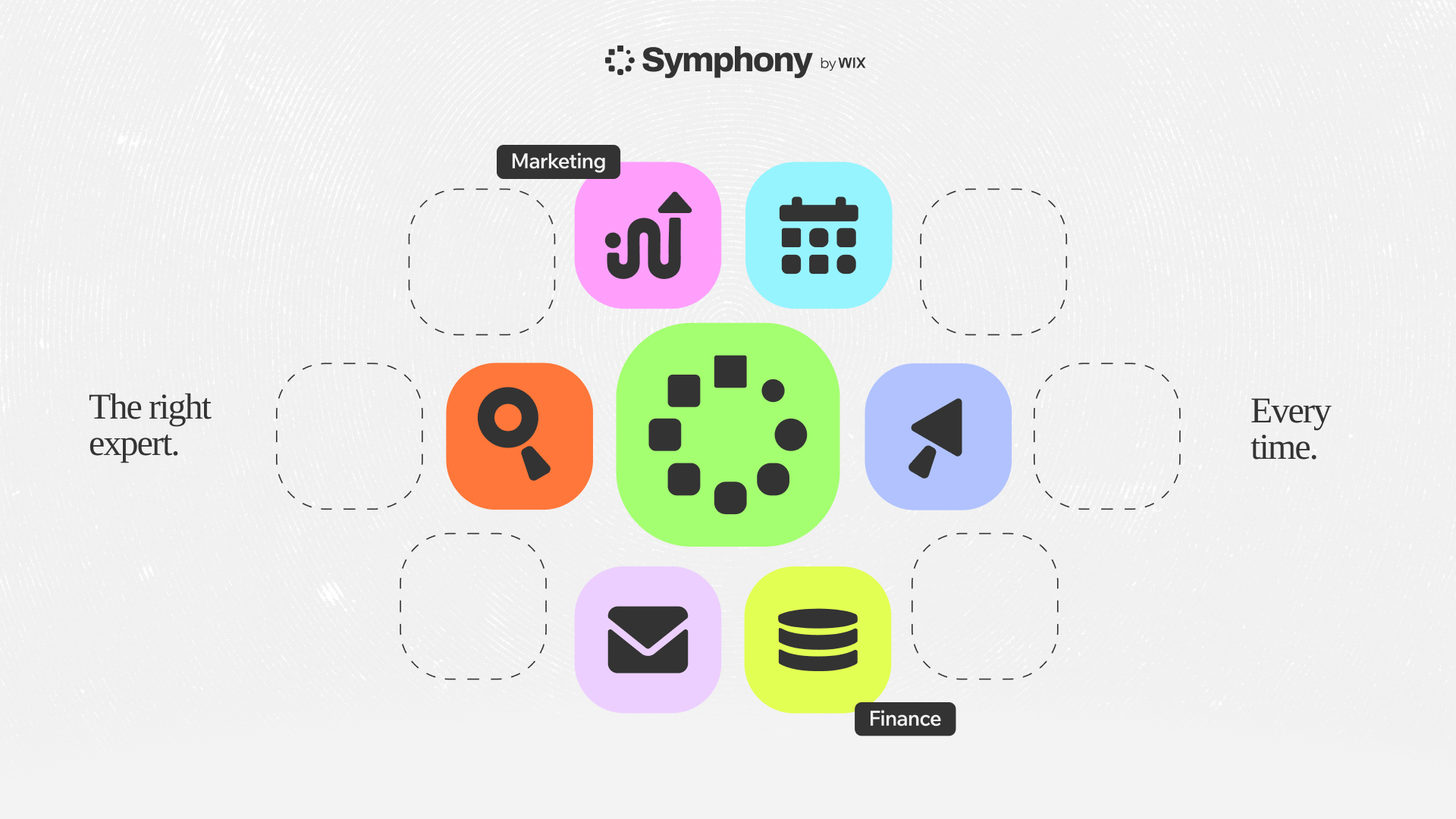
Symphony is a standalone Wix product. It requires a Wix account, but not a Wix website. It can work with supported connected business tools, and Wix says approvals are built into consequential actions so the owner stays in control. Verify the exact operations and permissions for every production connection rather than assuming an integration supports every read or write action.
Choose ChatGPT Work when research, analysis and a reviewable deliverable inside ChatGPT are central. Choose Zapier or Make when deterministic cross-app routing is the main job. Evaluate Symphony when a business owner wants Maestro to coordinate specialist agents around shared goals and context on a sustained basis, with approval retained for important actions. Pro and Max increase the monthly credits and agent activity available for that ongoing coordination, with a yearly option if the team runs continuously rather than for a single project.
See how Symphony coordinates a business-wide AI team.
Decision guide
Choose ChatGPT Work if:
- your team already has eligible Work access;
- Gmail, Slack, or GitHub covers the relevant event at launch;
- analysis or content generation is the central job;
- the result can remain within a ChatGPT-centered workflow;
- you are comfortable with connected-app and workspace permissions.
Choose Zapier if:
- you need broad SaaS app coverage;
- the workflow is mainly triggers and actions across business tools;
- nontechnical owners need a quick setup path;
- templates and a straightforward editor matter more than detailed data-flow control.
Choose Make if:
- the process has several branches or conditions;
- data must be transformed, mapped, or aggregated;
- the team wants a visual representation of a complex scenario;
- someone can own testing, error handling, and maintenance.
Combine them if:
- ChatGPT provides the interpretation or written deliverable;
- Zapier or Make handles the broader app orchestration;
- permissions and sensitive actions have a clearly documented approval boundary.
Availability and healthcare limitations
OpenAI says event-triggered tasks require Work and an eligible Plus, Pro, Business, Enterprise, or Edu account, or an eligible ChatGPT for Healthcare workspace. They are not available to Free or Go accounts or in FedRAMP workspaces. Enterprise, Edu, and Healthcare administrators must enable event-triggered scheduled tasks before workspace members can create them.
For ChatGPT for Healthcare, OpenAI states that event-triggered tasks are turned off by default, are not covered under a Business Associate Agreement, and must not transmit, store, or process protected health information. Healthcare teams should not interpret general product availability as approval for regulated workflows.
A practical way to evaluate all three
Do not start by asking which logo your team prefers. Take one real workflow and write down:
- What exact event starts it?
- Which systems contain the required data?
- Is the hard part reasoning or orchestration?
- What action changes external data or contacts a customer?
- Who approves exceptions?
- Where will failures and results be reviewed?
Build the smallest safe version and test it with non-sensitive data. Measure completion rate, manual corrections, time saved, and failure recovery—not the quality of the demo.
If you are still assembling your wider tool stack, see AI tools that work for any business and our guide to AI for project managers.
If the workflow you’re building keeps crossing into the next one, the underlying problem may not be picking the right automation tool but coordinating several of them around one business context. That’s the case for evaluating a coordinated AI team on Pro or Max for ongoing use, rather than a single-purpose Zap or scenario.
Put your AI team to work with Symphony Pro or Max.